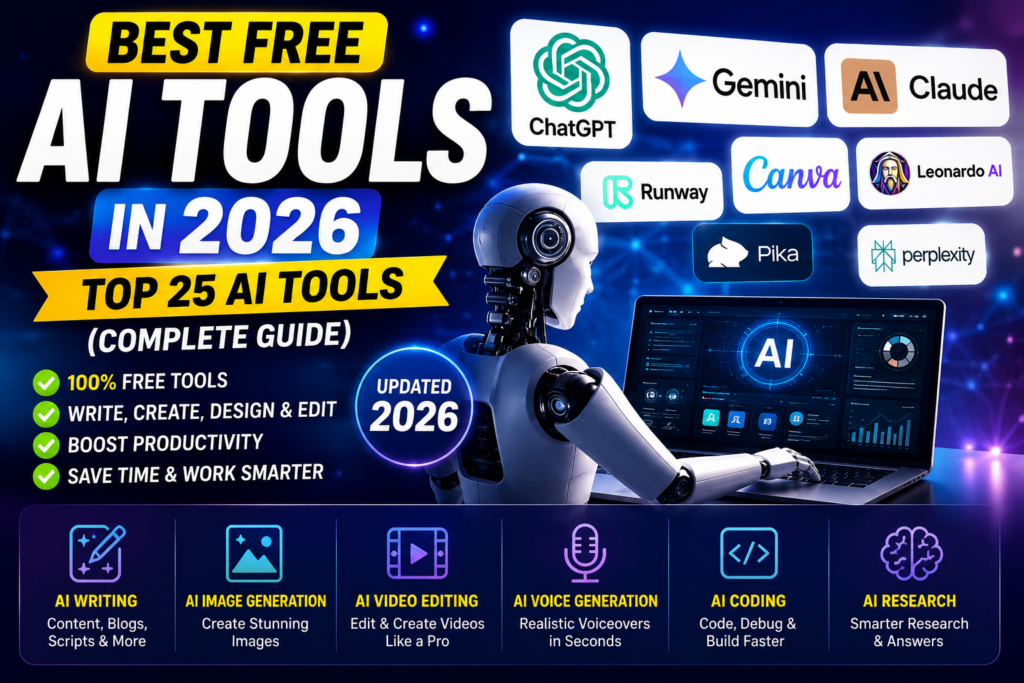
Artificial Intelligence (AI) has become one of the biggest technology trends in 2026. Whether you are a student, content creator, YouTuber, freelancer, developer, marketer, or business owner, AI tools can help you complete tasks faster, improve productivity, and save valuable time.
From writing articles and generating images to creating videos, coding software, and automating repetitive work, AI has changed the way people work online. Today, thousands of AI tools are available, but not every tool is worth your time. Some provide excellent free features, while others require expensive subscriptions with limited value.
To make your decision easier, we tested and researched dozens of popular AI tools based on ease of use, features, free plan availability, output quality, pricing, speed, and overall user experience.
In this complete guide, you’ll discover the best free AI tools in 2026, their key features, advantages, disadvantages, pricing, and who should use them. Whether you need an AI writing assistant, an AI image generator, an AI video creator, or a coding assistant, this article will help you choose the right tool.
Quick Highlights
- 25 Best Free AI Tools Compared
- Best AI Tools for Students
- Best AI Tools for Bloggers
- Best AI Tools for YouTubers
- Best AI Tools for Developers
- Best AI Tools for Designers
- Best AI Tools for Business Owners
- Free Plan Details
- Pros and Cons
- Pricing Comparison
How We Selected These AI Tools
Choosing the best AI tools isn’t just about popularity. We evaluated each tool using real-world criteria that matter to users.
1. Ease of Use
Every tool was tested to see whether beginners can start using it without technical knowledge.
2. AI Performance
We compared response quality, accuracy, creativity, and overall output.
3. Free Features
A good free AI tool should provide enough features without forcing users to upgrade immediately.
4. Speed
Fast response time is essential for improving productivity.
5. Value for Money
Premium plans should offer meaningful improvements over the free version.
6. Community Reputation
We also considered feedback from creators, developers, students, and business users.
Quick Comparison Table
| AI Tool | Best For | Free Plan | Rating |
|---|---|---|---|
| ChatGPT | Writing, Coding, Research | Yes | ⭐⭐⭐⭐⭐ |
| Google Gemini | Research & Productivity | Yes | ⭐⭐⭐⭐⭐ |
| Claude AI | Long-form Writing | Yes | ⭐⭐⭐⭐☆ |
| Perplexity AI | AI Search | Yes | ⭐⭐⭐⭐☆ |
| Canva AI | Design & Social Media | Yes | ⭐⭐⭐⭐⭐ |
| Leonardo AI | Image Generation | Yes | ⭐⭐⭐⭐☆ |
| Runway AI | Video Editing | Limited | ⭐⭐⭐⭐☆ |
| Pika AI | AI Video | Limited | ⭐⭐⭐⭐☆ |
| ElevenLabs | AI Voice | Limited | ⭐⭐⭐⭐⭐ |
| GitHub Copilot | Coding | Trial | ⭐⭐⭐⭐☆ |
In the next section, we’ll review each AI tool in detail, including its features, pricing, strengths, weaknesses, and the type of users it is best suited for.
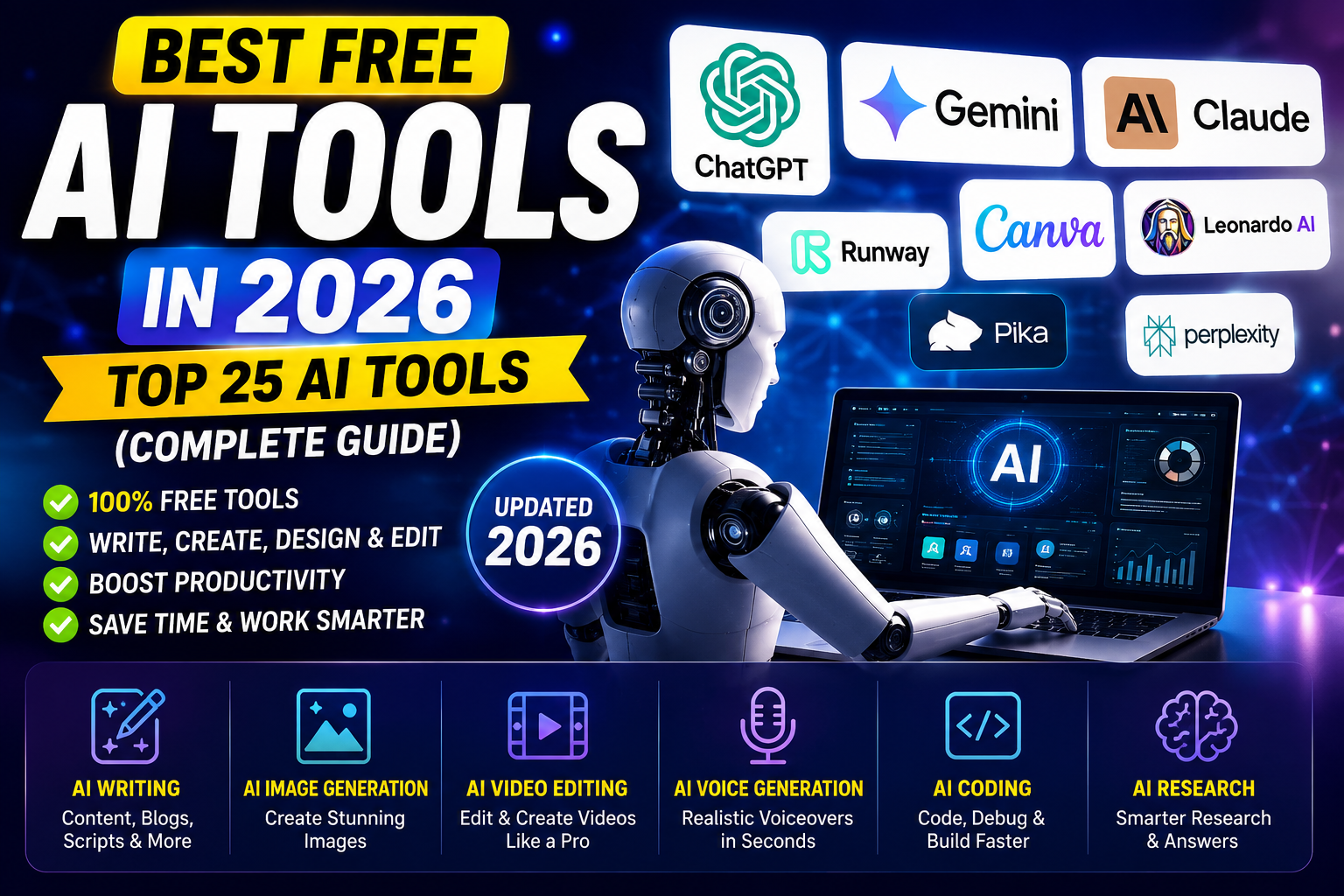
Artificial Intelligence (AI) has become one of the biggest technology trends in 2026. Whether you are a student, content creator, YouTuber, freelancer, developer, marketer, or business owner, AI tools can help you complete tasks faster, improve productivity, and save valuable time.
From writing articles and generating images to creating videos, coding software, and automating repetitive work, AI has changed the way people work online. Today, thousands of AI tools are available, but not every tool is worth your time. Some provide excellent free features, while others require expensive subscriptions with limited value.
To make your decision easier, we tested and researched dozens of popular AI tools based on ease of use, features, free plan availability, output quality, pricing, speed, and overall user experience.
In this complete guide, you’ll discover the best free AI tools in 2026, their key features, advantages, disadvantages, pricing, and who should use them. Whether you need an AI writing assistant, an AI image generator, an AI video creator, or a coding assistant, this article will help you choose the right tool.
1. ChatGPT – Best Overall AI Assistant in 2026
⭐ Rating: 5/5
Overview
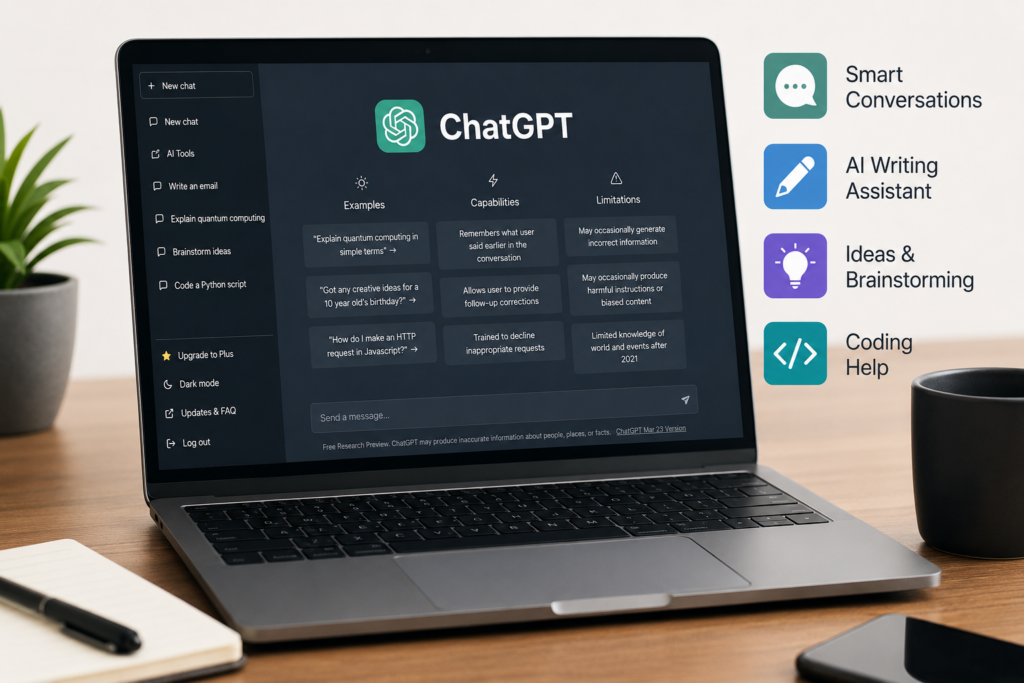
ChatGPT is one of the world’s most popular AI assistants. It is designed to help users write content, answer questions, generate ideas, summarize documents, translate languages, create code, solve problems, and much more. Whether you are a student, blogger, YouTuber, programmer, freelancer, or business owner, ChatGPT can significantly improve your productivity.
Unlike traditional search engines that only provide links, ChatGPT generates human-like responses, making it easier to learn new topics and complete tasks quickly.
Best For
- Content Writers
- Bloggers
- Students
- YouTubers
- Software Developers
- Freelancers
- Digital Marketers
- Business Owners
Key Features
✔ AI Content Writing
✔ SEO Article Writing
✔ Email Writing
✔ Coding Assistance
✔ Bug Fixing
✔ YouTube Script Writing
✔ Blog Ideas
✔ Social Media Content
✔ Translation
✔ Text Summarization
✔ Brainstorming
✔ Image Generation (Supported Plans)
✔ Data Analysis
Advantages
One of the biggest strengths of ChatGPT is its versatility. Instead of using multiple tools for different tasks, users can perform writing, coding, research, brainstorming, and editing in one place.
The interface is simple and beginner-friendly, making it suitable even for users with no technical knowledge.
It also supports multiple languages, allowing users from different countries to create content in their preferred language.
For content creators, ChatGPT can generate blog posts, YouTube scripts, video descriptions, titles, FAQs, product reviews, and marketing copy within minutes.
Developers can use it to write code, explain programming concepts, debug errors, and improve existing code.
Disadvantages
Although ChatGPT is highly capable, it is not perfect.
Sometimes AI-generated information may contain mistakes or outdated details, especially for rapidly changing topics.
For important decisions, always verify facts using reliable sources.
Some advanced features are only available in paid plans.
Free Plan
The free version is suitable for most everyday tasks such as writing, brainstorming, studying, coding, and answering questions.
Paid Plan
The premium subscription provides faster responses, higher usage limits, and access to more advanced AI models and additional features.
Real-World Use Cases
Students
- Homework assistance
- Exam preparation
- Notes summarization
- Essay writing
Bloggers
- SEO articles
- Keyword ideas
- Meta descriptions
- FAQs
YouTubers
- Video scripts
- Thumbnail ideas
- Titles
- Descriptions
- Tags
Developers
- Code generation
- Debugging
- Learning programming
Businesses
- Customer support drafts
- Marketing content
- Product descriptions
- Business emails
Pros
✔ Easy to use
✔ Beginner-friendly
✔ Excellent writing quality
✔ Supports coding
✔ Fast responses
✔ Multi-language support
✔ Helpful for research
✔ Regular updates
Cons
✘ Advanced features require a subscription
✘ AI responses should be fact-checked
Final Verdict
If you need only one AI tool in 2026, ChatGPT is one of the strongest choices because it combines writing, research, coding, learning, and creativity into a single platform. For beginners and professionals alike, it offers excellent value through both its free and paid plans.
2. Google Gemini – Best AI Tool for Research and Productivity
⭐ Rating: 4.9/5
Overview
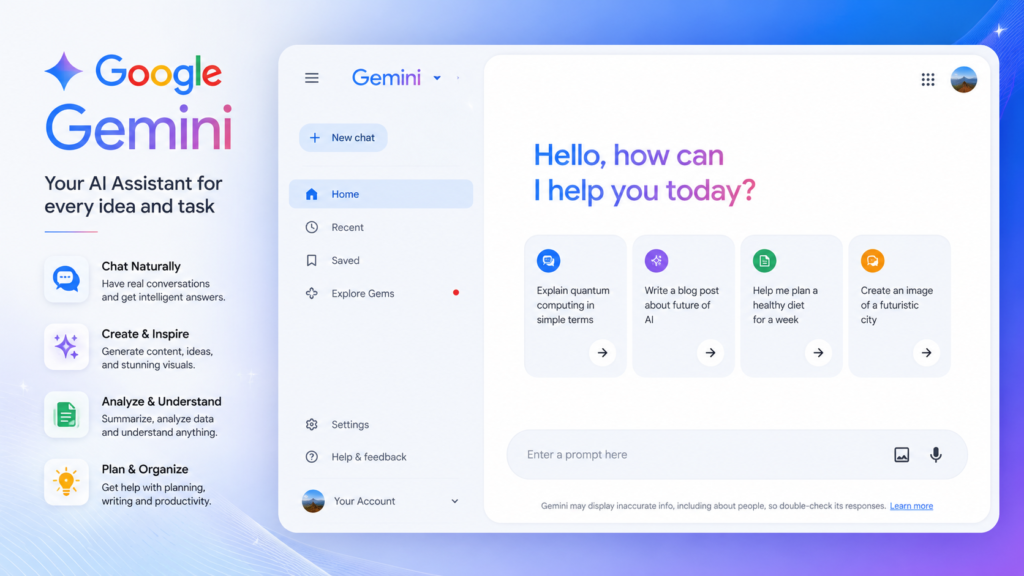
Google Gemini is Google’s advanced AI assistant designed to help users with writing, research, coding, brainstorming, and productivity tasks. Its biggest advantage is its deep integration with Google’s ecosystem, making it an excellent choice for people who regularly use Gmail, Google Docs, Google Drive, and other Google services.
Gemini can understand complex questions, generate high-quality content, explain difficult concepts, and assist with everyday work. It is suitable for students, professionals, developers, educators, marketers, and business owners.
Unlike a traditional search engine, Gemini can provide detailed explanations, summarize information, generate creative ideas, and help solve technical problems in a conversational way.
Best For
- Students
- Researchers
- Office Professionals
- Bloggers
- Content Creators
- Developers
- Business Users
Key Features
✔ AI Writing Assistant
✔ Research Support
✔ Google Workspace Integration
✔ Coding Assistance
✔ Image Understanding
✔ Data Analysis
✔ Email Writing
✔ Document Summarization
✔ Brainstorming
✔ Multi-language Support
Advantages
One of Gemini’s biggest strengths is its ability to work seamlessly with Google products. Users who already rely on Google’s ecosystem can complete tasks more efficiently without switching between multiple applications.
Gemini performs well when explaining complex topics, summarizing documents, creating reports, drafting emails, and generating structured content.
For students, it can simplify difficult concepts and assist with assignments. For professionals, it helps create presentations, reports, and business documents quickly.
Disadvantages
While Gemini offers excellent features, some advanced capabilities may require a premium subscription.
As with any AI assistant, users should verify important facts before using them for academic, legal, financial, or professional purposes.
Free Plan
The free version includes many useful features for writing, research, brainstorming, and learning, making it suitable for most everyday users.
Paid Plan
The premium version provides access to more advanced AI models, higher usage limits, additional features, and deeper integration with Google services.
Real-World Use Cases
Students
- Research assistance
- Assignment writing
- Study notes
- Exam preparation
Bloggers
- Article outlines
- SEO ideas
- Content planning
- Topic research
Professionals
- Business reports
- Email drafting
- Presentation preparation
- Meeting summaries
Developers
- Code explanations
- Debugging support
- Programming assistance
Business Owners
- Marketing ideas
- Customer communication
- Document creation
Pros
✔ Fast responses
✔ Easy to use
✔ Strong research capabilities
✔ Excellent Google integration
✔ Supports multiple languages
✔ Helpful for students and professionals
✔ Free plan available
Cons
✘ Some premium features require a paid subscription
✘ AI-generated information should always be verified for accuracy
ChatGPT vs Google Gemini
| Feature | ChatGPT | Google Gemini |
|---|---|---|
| Content Writing | ⭐⭐⭐⭐⭐ | ⭐⭐⭐⭐☆ |
| Research | ⭐⭐⭐⭐☆ | ⭐⭐⭐⭐⭐ |
| Coding | ⭐⭐⭐⭐⭐ | ⭐⭐⭐⭐☆ |
| Google Integration | ⭐⭐☆☆☆ | ⭐⭐⭐⭐⭐ |
| Ease of Use | ⭐⭐⭐⭐⭐ | ⭐⭐⭐⭐⭐ |
| Free Plan | Excellent | Excellent |
Final Verdict
Google Gemini is one of the best free AI tools in 2026 for users who want powerful research capabilities and smooth integration with Google’s services. If your daily work depends on Google Workspace, Gemini is an excellent choice. For many users, combining Gemini with ChatGPT can provide the best balance between research, writing, and productivity.
3. Claude AI – Best AI Tool for Long-Form Writing and Document Analysis
⭐ Rating: 4.9/5
Overview
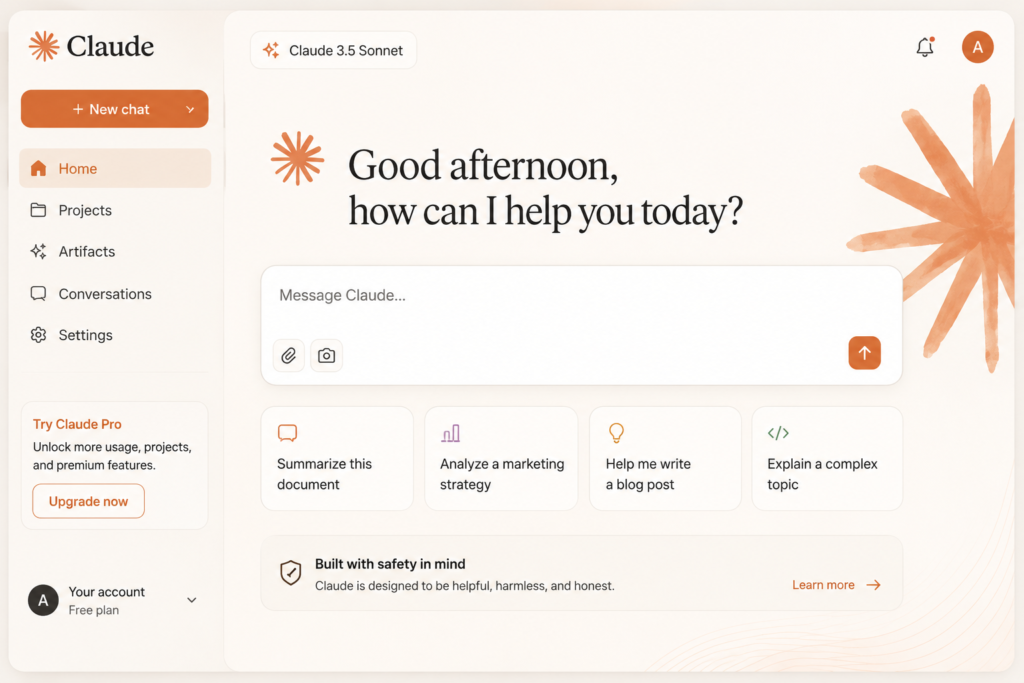
Claude AI is an advanced AI assistant developed by Anthropic. It is widely recognized for its ability to generate natural, well-structured, and detailed responses. Unlike many AI chatbots that focus on short answers, Claude AI performs exceptionally well when handling long articles, large documents, research papers, reports, and detailed conversations.
If your work involves writing comprehensive blog posts, analyzing PDF files, summarizing lengthy documents, or creating professional reports, Claude AI is one of the strongest choices available in 2026.
Best For
- Bloggers
- Content Writers
- Researchers
- Students
- Teachers
- Business Professionals
- Legal Document Review
- PDF Analysis
Key Features
✔ Long-Form Content Writing
✔ PDF Document Analysis
✔ Research Assistance
✔ Text Summarization
✔ Brainstorming
✔ Professional Email Writing
✔ Report Generation
✔ Multi-Language Support
✔ Code Explanation
✔ Writing Improvement
Why Claude AI Stands Out
Claude AI is designed to understand context over long conversations. It maintains consistency throughout lengthy discussions, making it especially useful for projects that require detailed explanations or multiple revisions.
For bloggers, Claude AI can generate comprehensive articles with clear headings, logical flow, and informative content. For researchers, it can summarize complex documents and extract important information quickly.
Professionals often use Claude AI to review reports, prepare presentations, draft proposals, and improve business communication.
Free Plan
Claude AI offers a free plan that is suitable for writing, learning, brainstorming, and document summarization. Most users can complete everyday tasks without upgrading.
Paid Plan
The premium version provides access to more powerful AI models, faster performance, higher usage limits, and additional productivity features for professional users.
Real-World Use Cases
Bloggers
- Long SEO Articles
- Product Reviews
- Buying Guides
- Tutorials
Students
- Study Notes
- Assignment Help
- Research Summaries
- Concept Explanations
Business Professionals
- Reports
- Business Proposals
- Meeting Notes
- Client Emails
Researchers
- Literature Reviews
- Research Summaries
- Document Comparison
- Information Extraction
Pros
✔ Excellent long-form writing quality
✔ Natural human-like responses
✔ Strong document analysis
✔ Easy-to-read output
✔ Beginner-friendly interface
✔ Great for research
✔ Reliable summaries
Cons
✘ Some advanced features are available only in paid plans
✘ AI-generated content should always be reviewed before publication
ChatGPT vs Claude AI
| Feature | ChatGPT | Claude AI |
|---|---|---|
| Long Articles | ⭐⭐⭐⭐☆ | ⭐⭐⭐⭐⭐ |
| Research | ⭐⭐⭐⭐☆ | ⭐⭐⭐⭐⭐ |
| Coding | ⭐⭐⭐⭐⭐ | ⭐⭐⭐⭐☆ |
| Creativity | ⭐⭐⭐⭐⭐ | ⭐⭐⭐⭐☆ |
| Document Analysis | ⭐⭐⭐⭐☆ | ⭐⭐⭐⭐⭐ |
| Ease of Use | ⭐⭐⭐⭐⭐ | ⭐⭐⭐⭐⭐ |
Who Should Choose Claude AI?
Choose Claude AI if you:
- Write long blog articles regularly
- Work with research papers
- Read and summarize PDF documents
- Need professional-quality reports
- Want detailed and structured AI responses
Final Verdict
Claude AI is one of the best AI writing assistants available in 2026 for users who need high-quality long-form content and advanced document analysis. While ChatGPT remains an excellent all-round AI assistant, Claude AI stands out for deep research, structured writing, and handling lengthy documents with impressive accuracy.
For bloggers, students, researchers, and professionals, Claude AI is a valuable addition to their AI toolkit.
4. Perplexity AI – Best AI Search Engine for Accurate Research
⭐ Rating: 4.8/5
Overview
Perplexity AI is one of the fastest-growing AI-powered search assistants in 2026. Unlike traditional search engines that simply display a list of websites, Perplexity AI provides direct answers along with references to the sources it used. This makes it an excellent choice for students, researchers, journalists, bloggers, and professionals who need reliable information quickly.
Instead of spending time opening multiple websites, users can ask a question and receive a detailed, well-structured response with supporting references. This approach saves time while making research more efficient.
Best For
- Researchers
- Students
- Bloggers
- Journalists
- SEO Professionals
- Content Creators
- Business Analysts
- Digital Marketers
Key Features
✔ AI-Powered Search
✔ Source Citations
✔ Real-Time Web Information
✔ Research Assistance
✔ Follow-Up Questions
✔ Document Summaries
✔ Fast Response Time
✔ Multi-Language Support
✔ Clean User Interface
✔ Easy Information Verification
Why Perplexity AI is Different
Traditional search engines require users to browse several websites before finding the right answer. Perplexity AI combines AI-generated explanations with cited sources, allowing users to verify information more efficiently.
This makes it particularly useful for academic research, market analysis, blog writing, and learning about new topics.
Free Plan
The free version offers powerful AI search capabilities and is sufficient for most students, bloggers, and casual users.
Paid Plan
The premium plan provides access to more advanced AI models, higher usage limits, improved research capabilities, and additional professional features.
Real-World Use Cases
Students
- Homework Research
- Assignment References
- Project Preparation
- Exam Studies
Bloggers
- Fact Checking
- Topic Research
- Article Planning
- Content Ideas
SEO Experts
- Competitor Research
- Industry Trends
- Keyword Research Support
Business Users
- Market Research
- Industry Reports
- Customer Insights
- Competitive Analysis
Pros
✔ Very fast search results
✔ Provides source references
✔ Excellent for research
✔ Beginner-friendly interface
✔ Free plan available
✔ Easy fact verification
✔ High-quality AI summaries
Cons
✘ Some advanced AI models require a paid subscription
✘ Research quality still depends on the available online sources
ChatGPT vs Perplexity AI
| Feature | ChatGPT | Perplexity AI |
|---|---|---|
| AI Writing | ⭐⭐⭐⭐⭐ | ⭐⭐⭐⭐☆ |
| Research | ⭐⭐⭐⭐☆ | ⭐⭐⭐⭐⭐ |
| Source References | ⭐⭐⭐☆☆ | ⭐⭐⭐⭐⭐ |
| Creative Writing | ⭐⭐⭐⭐⭐ | ⭐⭐⭐⭐☆ |
| Fact Verification | ⭐⭐⭐⭐☆ | ⭐⭐⭐⭐⭐ |
| Ease of Use | ⭐⭐⭐⭐⭐ | ⭐⭐⭐⭐⭐ |
Who Should Choose Perplexity AI?
Choose Perplexity AI if you:
- Need accurate research with references
- Want faster information gathering
- Write SEO articles regularly
- Create educational content
- Verify facts before publishing content
Final Verdict
Perplexity AI is one of the best AI research tools available in 2026. Its ability to combine AI-generated answers with source references makes it a valuable tool for students, researchers, bloggers, and professionals. While ChatGPT is excellent for writing and creativity, Perplexity AI is a stronger choice when accurate research and source-backed information are the priority.
5. Google AI Studio – Best AI Platform for Developers and Advanced AI Users
⭐ Rating: 4.9/5
Overview
Google AI Studio is a powerful AI platform developed by Google that allows users to build, test, and experiment with advanced AI models. Unlike traditional AI chatbots, Google AI Studio is designed for developers, startups, businesses, and advanced users who want to create AI-powered applications, chatbots, automation tools, and custom workflows.
It provides direct access to Google’s latest Gemini AI models and offers an easy-to-use interface for prompt engineering, API testing, and AI application development. Even users with basic programming knowledge can explore AI capabilities without setting up complex infrastructure.
If you are planning to build AI-powered websites, mobile applications, SaaS products, or automation tools, Google AI Studio is one of the best platforms available in 2026.
Best For
- Developers
- Startups
- SaaS Businesses
- AI Engineers
- Website Owners
- App Developers
- Automation Experts
- Technical Learners
Key Features
✔ Access to Gemini AI Models
✔ Prompt Testing
✔ API Integration
✔ AI Chatbot Development
✔ Code Generation
✔ Text Generation
✔ Image Understanding
✔ Multimodal AI Support
✔ Fast Performance
✔ Cloud-Based Platform
Why Google AI Studio is Different
Unlike general AI chatbots, Google AI Studio gives users greater control over AI behavior. You can test different prompts, adjust model settings, and integrate AI directly into your own applications.
For developers, this means faster prototyping and easier deployment of AI-powered features. Businesses can build customer support bots, document assistants, AI search tools, and intelligent automation systems using the platform.
Free Plan
Google AI Studio offers generous free access for learning, testing, and building small AI projects. This makes it a great choice for beginners who want to explore Google’s AI ecosystem.
Paid Plan
Paid usage is based on API consumption and is suitable for businesses, developers, and organizations building production-level AI applications with higher usage requirements.
Real-World Use Cases
Developers
- AI Chatbots
- AI Websites
- AI Mobile Apps
- API Integration
Businesses
- Customer Support Automation
- AI Assistants
- Internal Knowledge Base
- Workflow Automation
Content Creators
- Content Generation
- AI Script Writing
- SEO Assistance
- Content Planning
Students
- Learn AI Development
- Practice Prompt Engineering
- Build AI Projects
Pros
✔ Powerful AI models
✔ Easy API testing
✔ Fast performance
✔ Beginner-friendly interface
✔ Excellent documentation
✔ Free access for learning
✔ Supports advanced AI applications
Cons
✘ Advanced features may require programming knowledge
✘ Production API usage can increase costs depending on usage
Google AI Studio vs ChatGPT
| Feature | Google AI Studio | ChatGPT |
|---|---|---|
| AI Development | ⭐⭐⭐⭐⭐ | ⭐⭐⭐⭐☆ |
| Prompt Testing | ⭐⭐⭐⭐⭐ | ⭐⭐⭐⭐☆ |
| Coding Support | ⭐⭐⭐⭐⭐ | ⭐⭐⭐⭐⭐ |
| General Chat | ⭐⭐⭐⭐☆ | ⭐⭐⭐⭐⭐ |
| API Integration | ⭐⭐⭐⭐⭐ | ⭐⭐⭐⭐☆ |
| Ease of Use | ⭐⭐⭐⭐☆ | ⭐⭐⭐⭐⭐ |
Who Should Choose Google AI Studio?
Choose Google AI Studio if you:
- Want to build AI-powered applications
- Need access to Gemini AI APIs
- Learn prompt engineering
- Create AI automation tools
- Develop AI chatbots
- Build SaaS products
Final Verdict
Google AI Studio is one of the most powerful AI platforms available in 2026 for developers, startups, and businesses. While beginners can use it to learn AI development, professionals can leverage its API access and advanced AI capabilities to build intelligent applications and automation systems.
If your goal is to create AI products instead of simply using AI tools, Google AI Studio should definitely be on your list.
6. Canva AI – Best AI Design Tool for Creators and Businesses
⭐ Rating: 4.9/5
Overview
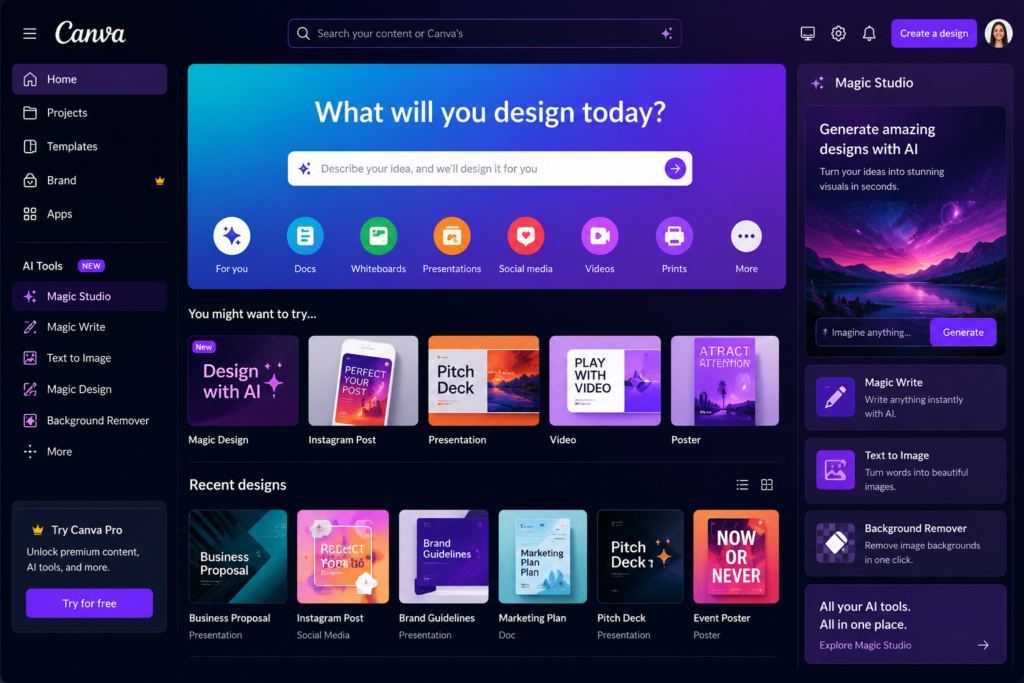
Canva AI has become one of the most popular design platforms in 2026. It combines artificial intelligence with an easy drag-and-drop editor, allowing users to create professional-quality graphics, presentations, social media posts, YouTube thumbnails, videos, logos, resumes, and marketing materials within minutes.
Whether you are a YouTuber, blogger, student, freelancer, digital marketer, or small business owner, Canva AI offers powerful tools that help create visually appealing content without requiring advanced design skills.
Unlike traditional graphic design software, Canva AI automates many creative tasks such as generating images, writing text, removing backgrounds, resizing designs, and creating presentations from simple prompts.
Best For
- YouTubers
- Bloggers
- Graphic Designers
- Students
- Teachers
- Freelancers
- Social Media Managers
- Small Business Owners
Key Features
✔ Magic Design
✔ AI Image Generator
✔ Magic Write
✔ Background Remover
✔ AI Presentation Creator
✔ AI Video Editing
✔ Magic Resize
✔ Text to Image
✔ Brand Kit
✔ Team Collaboration
Why Canva AI is Different
Canva AI is designed for people who want professional results without spending hours learning complex design software.
Its AI-powered features help users generate layouts, suggest color combinations, write marketing copy, create thumbnails, and produce social media content in just a few clicks.
For businesses, Canva AI also provides branding tools that ensure consistency across all marketing materials.
Free Plan
The free version includes thousands of templates, basic AI features, stock photos, icons, fonts, and design elements that are enough for most personal and professional projects.
Paid Plan
The premium subscription unlocks advanced AI features, premium templates, a larger content library, brand management tools, and additional cloud storage.
Real-World Use Cases
YouTubers
- Thumbnail Design
- Channel Banner
- Intro Graphics
- Community Posts
Bloggers
- Featured Images
- Infographics
- Pinterest Pins
- Blog Graphics
Businesses
- Social Media Ads
- Product Catalogs
- Marketing Flyers
- Business Presentations
Students
- School Projects
- Assignment Covers
- Posters
- Presentations
Pros
✔ Extremely easy to use
✔ Thousands of professional templates
✔ AI-powered design suggestions
✔ Cloud-based platform
✔ Excellent collaboration tools
✔ Beginner-friendly
✔ High-quality export options
Cons
✘ Some premium templates require a paid subscription
✘ Advanced AI tools have usage limits in the free plan
Canva AI vs Adobe Express
| Feature | Canva AI | Adobe Express |
|---|---|---|
| Templates | ⭐⭐⭐⭐⭐ | ⭐⭐⭐⭐☆ |
| Ease of Use | ⭐⭐⭐⭐⭐ | ⭐⭐⭐⭐☆ |
| AI Features | ⭐⭐⭐⭐⭐ | ⭐⭐⭐⭐☆ |
| Collaboration | ⭐⭐⭐⭐⭐ | ⭐⭐⭐⭐☆ |
| Social Media Design | ⭐⭐⭐⭐⭐ | ⭐⭐⭐⭐☆ |
| Free Plan | Excellent | Good |
Who Should Choose Canva AI?
Choose Canva AI if you:
- Create YouTube thumbnails regularly
- Design social media graphics
- Build presentations quickly
- Need marketing materials
- Want professional designs without graphic design experience
- Work with a team on creative projects
Final Verdict
Canva AI is one of the best AI-powered design platforms available in 2026. Its combination of simplicity, powerful AI features, and thousands of ready-made templates makes it the perfect choice for beginners and professionals alike.
If you create visual content regularly, Canva AI deserves a place in your daily workflow. It saves time, improves design quality, and helps users produce professional-looking content without expensive software or advanced design skills.
7. Leonardo AI – Best Free AI Image Generator for High-Quality Artwork
⭐ Rating: 4.8/5
Overview
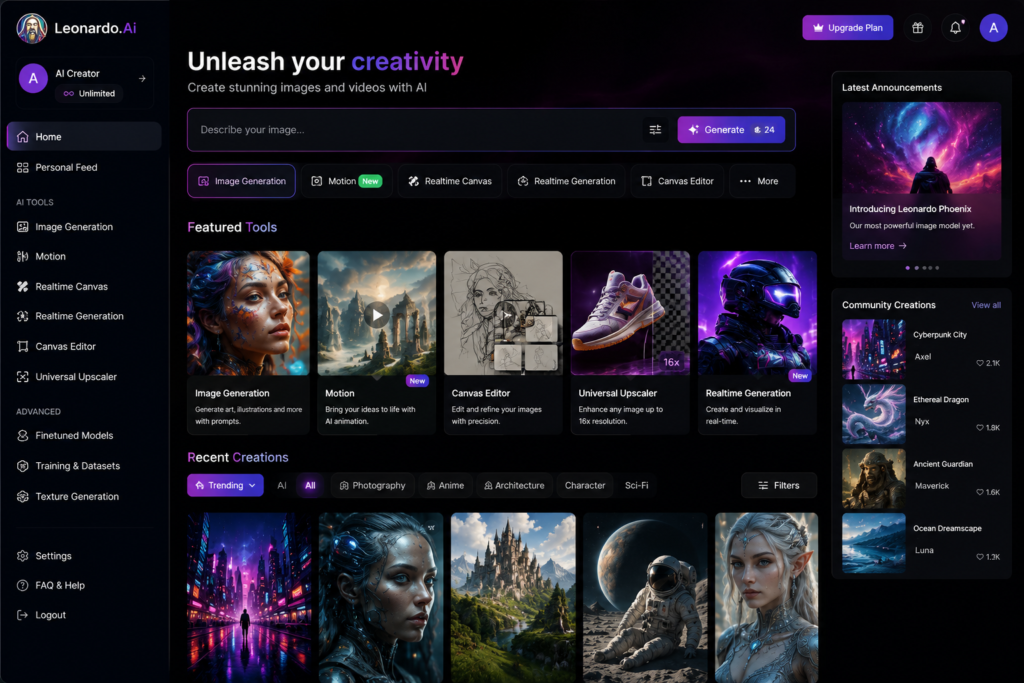
Leonardo AI is one of the most powerful AI image generation platforms available in 2026. It enables users to create realistic images, digital artwork, game assets, concept art, marketing graphics, social media visuals, and product mockups simply by describing what they want.
Unlike many AI image generators, Leonardo AI offers excellent image quality, detailed customization, and a generous free plan, making it a favorite among designers, content creators, marketers, and game developers.
Whether you need YouTube thumbnails, website banners, fantasy artwork, product advertisements, or creative illustrations, Leonardo AI can generate professional-quality visuals within seconds.
Best For
- Graphic Designers
- YouTubers
- Bloggers
- Game Developers
- Digital Artists
- Marketing Agencies
- Social Media Managers
- Business Owners
Key Features
✔ AI Image Generation
✔ Photorealistic Images
✔ Digital Art Creation
✔ Concept Art
✔ Character Design
✔ Product Mockups
✔ Background Generation
✔ Multiple Art Styles
✔ Prompt Enhancement
✔ High-Resolution Image Export
Why Leonardo AI is Different
Leonardo AI stands out because it gives users greater creative control compared to many other AI image generators.
Users can adjust image styles, lighting, aspect ratios, prompt strength, and visual consistency to create highly customized images. It also supports training custom models, allowing businesses and designers to maintain a consistent visual identity.
Its interface is beginner-friendly while still offering advanced options for experienced users.
Free Plan
The free plan provides daily AI generation credits, allowing users to create high-quality images without paying. For most casual creators, these credits are enough for regular design work.
Paid Plan
Premium plans increase the number of daily image generations, provide faster processing, higher priority, and unlock additional advanced features suitable for professionals and businesses.
Real-World Use Cases
YouTubers
- Thumbnail Images
- Video Illustrations
- Community Posts
- Channel Branding
Bloggers
- Featured Images
- Article Graphics
- Infographics
- Website Banners
Businesses
- Product Advertisements
- Marketing Campaigns
- Social Media Creatives
- Promotional Posters
Game Developers
- Character Concepts
- Environment Design
- Weapon Concepts
- UI Assets
Pros
✔ Excellent image quality
✔ Realistic and artistic styles
✔ Beginner-friendly interface
✔ Daily free credits
✔ Fast image generation
✔ Multiple customization options
✔ Suitable for commercial creative work
Cons
✘ Daily free credits are limited
✘ Some advanced features are available only in premium plans
Leonardo AI vs Midjourney
| Feature | Leonardo AI | Midjourney |
|---|---|---|
| Free Plan | ⭐⭐⭐⭐⭐ | ⭐⭐☆☆☆ |
| Image Quality | ⭐⭐⭐⭐⭐ | ⭐⭐⭐⭐⭐ |
| Ease of Use | ⭐⭐⭐⭐⭐ | ⭐⭐⭐⭐☆ |
| Custom Models | ⭐⭐⭐⭐⭐ | ⭐⭐⭐⭐☆ |
| Commercial Design | ⭐⭐⭐⭐⭐ | ⭐⭐⭐⭐⭐ |
| Beginner Friendly | ⭐⭐⭐⭐⭐ | ⭐⭐⭐☆☆ |
Who Should Choose Leonardo AI?
Choose Leonardo AI if you:
- Need high-quality AI-generated images
- Design YouTube thumbnails regularly
- Create blog featured images
- Build marketing materials
- Develop games or digital artwork
- Want a powerful AI image generator with a useful free plan
Final Verdict
Leonardo AI is one of the best free AI image generators in 2026. Its outstanding image quality, creative flexibility, and beginner-friendly interface make it an excellent choice for creators, businesses, and designers.
If your work involves creating eye-catching visuals for YouTube, websites, social media, or marketing campaigns, Leonardo AI is a platform worth adding to your creative toolkit.
8. Runway AI – Best AI Video Generation and Editing Tool in 2026
⭐ Rating: 4.8/5
Overview
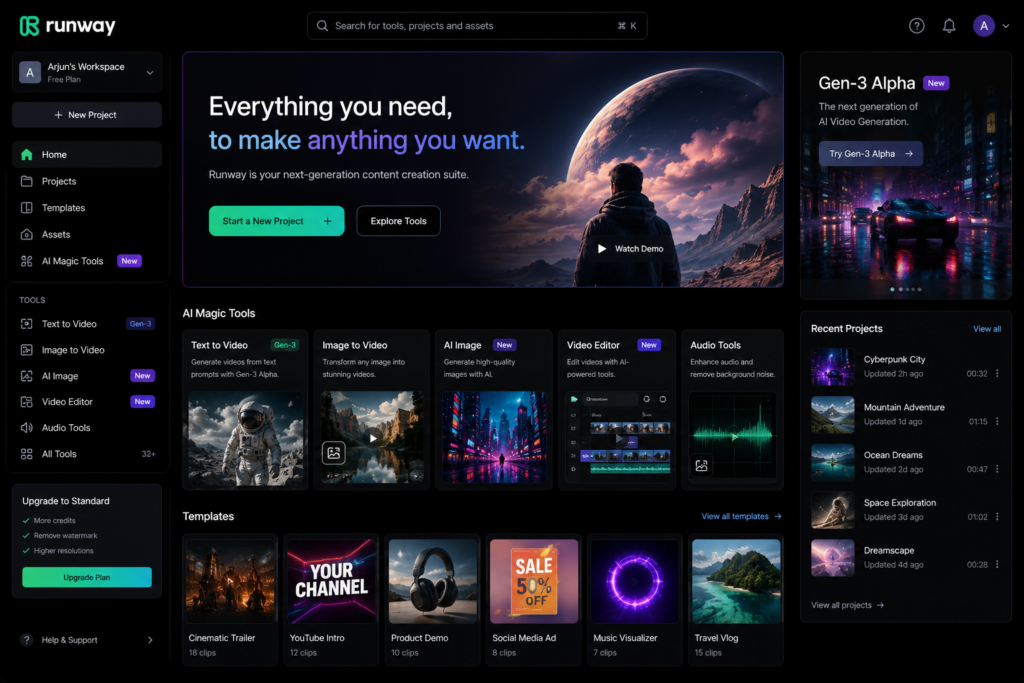
Runway AI is one of the most advanced AI-powered video creation platforms available in 2026. It enables creators to generate videos from text prompts, remove backgrounds without a green screen, erase unwanted objects, expand video scenes, and perform professional editing with the help of artificial intelligence.
Runway AI is widely used by YouTubers, filmmakers, advertisers, social media creators, and digital agencies because it dramatically reduces the time required for video production.
Instead of spending hours editing manually, creators can use AI to automate complex editing tasks while maintaining professional quality.
Best For
- YouTubers
- Video Editors
- Filmmakers
- Marketing Agencies
- Social Media Creators
- Digital Advertisers
- Content Creators
Key Features
✔ Text-to-Video Generation
✔ Image-to-Video Animation
✔ AI Video Editing
✔ Background Removal
✔ Object Removal
✔ Motion Tracking
✔ AI Green Screen
✔ Video Upscaling
✔ Automatic Captions
✔ Cloud-Based Editing
Why Runway AI is Different
Runway AI focuses on professional video production rather than basic editing. Its AI models allow creators to produce cinematic videos with minimal effort.
The platform also supports collaboration, making it useful for teams working on commercial video projects.
Its simple interface ensures that beginners can start quickly, while advanced users have access to more powerful editing controls.
Free Plan
The free plan allows users to test most core features with limited credits. It is ideal for learning the platform before upgrading.
Paid Plan
Premium subscriptions offer more AI credits, faster rendering, higher export quality, and access to advanced video generation models.
Real-World Use Cases
YouTubers
- AI B-roll Videos
- Shorts Creation
- Intro Videos
- Animated Scenes
Businesses
- Product Advertisements
- Promotional Videos
- Brand Campaigns
- Explainer Videos
Social Media Creators
- Instagram Reels
- Facebook Videos
- TikTok Content
- YouTube Shorts
Agencies
- Client Video Production
- Commercial Ads
- AI Motion Graphics
Pros
✔ Professional-quality AI videos
✔ Excellent background removal
✔ Fast rendering
✔ Cloud-based workflow
✔ Beginner-friendly interface
✔ Supports commercial projects
✔ Regular feature updates
Cons
✘ Free credits are limited
✘ High-resolution exports may require a paid plan
Runway AI vs Pika AI
| Feature | Runway AI | Pika AI |
|---|---|---|
| Video Editing | ⭐⭐⭐⭐⭐ | ⭐⭐⭐⭐☆ |
| Text-to-Video | ⭐⭐⭐⭐⭐ | ⭐⭐⭐⭐⭐ |
| Background Removal | ⭐⭐⭐⭐⭐ | ⭐⭐⭐☆☆ |
| Ease of Use | ⭐⭐⭐⭐☆ | ⭐⭐⭐⭐⭐ |
| Professional Editing | ⭐⭐⭐⭐⭐ | ⭐⭐⭐⭐☆ |
| Free Plan | Good | Good |
Who Should Choose Runway AI?
Choose Runway AI if you:
- Create YouTube videos regularly
- Need AI-powered video editing
- Produce commercial advertisements
- Want professional cinematic videos
- Save time using AI automation
Final Verdict
Runway AI is one of the best AI video creation platforms available in 2026. Its powerful AI editing features, professional output quality, and innovative video generation tools make it an excellent choice for creators, businesses, and agencies.
If your work involves creating high-quality videos with less manual editing, Runway AI is definitely worth trying.
9. Pika AI – Best AI Tool for Text-to-Video Creation
⭐ Rating: 4.7/5
Overview
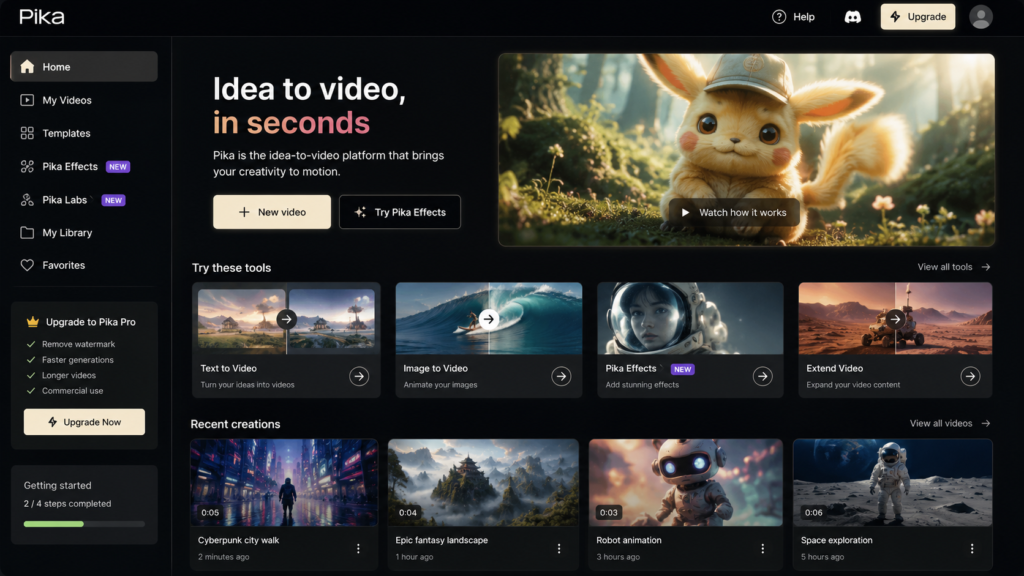
Pika AI is a next-generation AI video generation platform that allows users to create short, engaging, and visually appealing videos using simple text prompts or images. It has become one of the most popular tools among YouTubers, marketers, educators, and social media creators who want to produce high-quality videos without traditional editing software.
Unlike conventional video editors that require timelines, keyframes, and complex effects, Pika AI uses artificial intelligence to automate the creative process. Users simply describe the scene they want, and the platform generates a video within minutes.
For beginners, this means creating professional-looking videos without learning advanced editing skills. For professionals, it significantly reduces production time and increases workflow efficiency.
Best For
- YouTubers
- Social Media Creators
- Digital Marketers
- Bloggers
- Online Educators
- Startups
- Small Businesses
- Advertising Agencies
Key Features
✔ Text-to-Video Generation
✔ Image-to-Video Animation
✔ AI Motion Effects
✔ Cinematic Camera Movements
✔ Multiple Video Styles
✔ AI Scene Generation
✔ Fast Cloud Rendering
✔ Easy Prompt-Based Workflow
✔ High-Quality Video Output
✔ Beginner-Friendly Interface
Why Pika AI is Different
Most video editing software focuses on editing existing footage. Pika AI focuses on creating entirely new videos using AI.
Users can generate animated scenes, product advertisements, educational videos, storytelling clips, and social media content without recording a single frame.
This makes it especially valuable for creators who want to publish content regularly while reducing production costs.
Free Plan
Pika AI offers a free plan with limited monthly AI credits. It is suitable for testing the platform and creating small personal projects.
Paid Plan
Premium plans provide additional AI credits, faster rendering speeds, longer videos, priority processing, and access to advanced AI models.
Real-World Use Cases
YouTubers
- AI Shorts
- Storytelling Videos
- Intro Animations
- Explainer Videos
Businesses
- Product Promotions
- Brand Videos
- Marketing Campaigns
- Customer Education
Social Media
- Instagram Reels
- Facebook Videos
- TikTok Content
- LinkedIn Marketing Videos
Educators
- Educational Animations
- Learning Videos
- Presentation Videos
- Course Content
Pros
✔ Very easy to use
✔ Excellent AI animation
✔ Fast video generation
✔ No advanced editing skills required
✔ Cloud-based platform
✔ Professional output
✔ Regular feature updates
Cons
✘ Free AI credits are limited
✘ Longer videos generally require premium plans
Pika AI vs Runway AI
| Feature | Pika AI | Runway AI |
|---|---|---|
| Text-to-Video | ⭐⭐⭐⭐⭐ | ⭐⭐⭐⭐⭐ |
| AI Animation | ⭐⭐⭐⭐⭐ | ⭐⭐⭐⭐☆ |
| Professional Editing | ⭐⭐⭐⭐☆ | ⭐⭐⭐⭐⭐ |
| Ease of Use | ⭐⭐⭐⭐⭐ | ⭐⭐⭐⭐☆ |
| Rendering Speed | ⭐⭐⭐⭐☆ | ⭐⭐⭐⭐⭐ |
| Beginner Friendly | ⭐⭐⭐⭐⭐ | ⭐⭐⭐⭐☆ |
Who Should Choose Pika AI?
Choose Pika AI if you:
- Want to create AI videos without editing experience
- Publish YouTube Shorts regularly
- Create social media marketing videos
- Produce educational animations
- Generate promotional videos quickly
Expert Tip
For the best results, write detailed prompts that include the subject, background, lighting, camera angle, movement, style, and aspect ratio. Specific prompts usually generate higher-quality videos than short or vague descriptions.
Example Prompt:
“A futuristic smart city at sunrise with flying cars, cinematic lighting, ultra-realistic style, slow camera movement, 4K quality, 16:9.”
Final Verdict
Pika AI is one of the best AI video generation tools in 2026 for creators who want to transform ideas into videos within minutes. Its prompt-based workflow, high-quality output, and beginner-friendly interface make it an excellent choice for YouTubers, marketers, educators, and businesses.
If your goal is to create engaging AI-generated videos quickly, Pika AI is definitely worth adding to your creative toolkit.
10. ElevenLabs – Best AI Voice Generator in 2026
⭐ Rating: 4.9/5
Overview
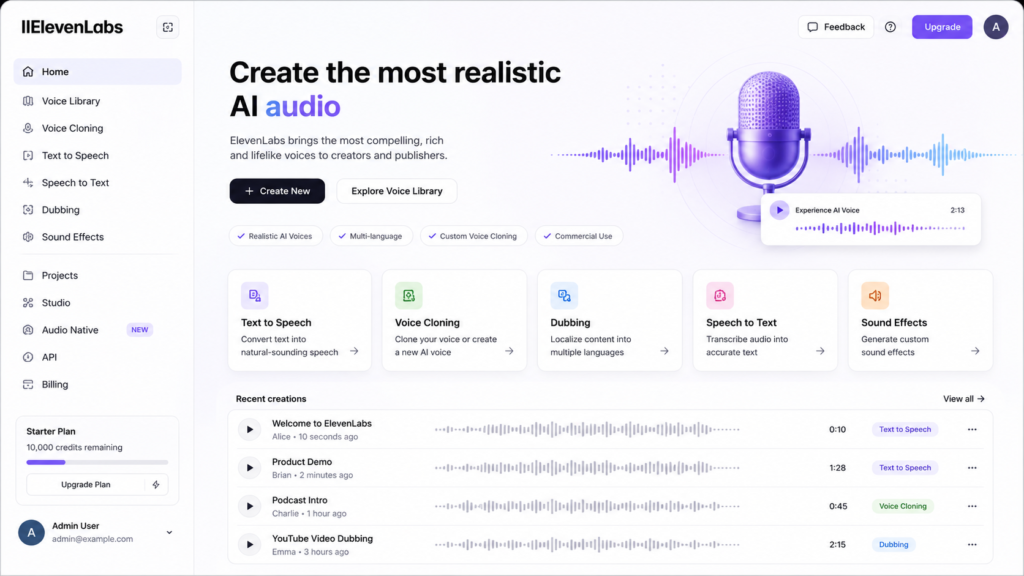
ElevenLabs is one of the most advanced AI voice generation platforms available in 2026. It enables users to create natural-sounding voices for YouTube videos, audiobooks, podcasts, e-learning courses, advertisements, and business presentations.
Unlike traditional text-to-speech software, ElevenLabs produces human-like voices with realistic emotions, natural pauses, and excellent pronunciation. This makes it one of the most popular AI voice tools among content creators and businesses.
Best For
- YouTubers
- Podcasters
- Audiobook Creators
- Educators
- Businesses
- Marketing Agencies
- App Developers
Key Features
✔ Natural AI Voices
✔ Text-to-Speech
✔ Voice Cloning
✔ Multi-Language Support
✔ Voice Library
✔ Commercial Usage
✔ Fast Audio Generation
✔ High Audio Quality
Pros
✔ Extremely realistic voice quality
✔ Supports multiple languages
✔ Beginner-friendly
✔ Fast generation
✔ Professional-quality output
Cons
✘ Free plan has monthly limits
✘ Some premium voices require a subscription
Final Verdict
If you create YouTube videos, online courses, or podcasts, ElevenLabs is one of the best AI voice generators available today.
11. NotebookLM – Best AI Research Assistant
⭐ Rating: 4.8/5
Overview
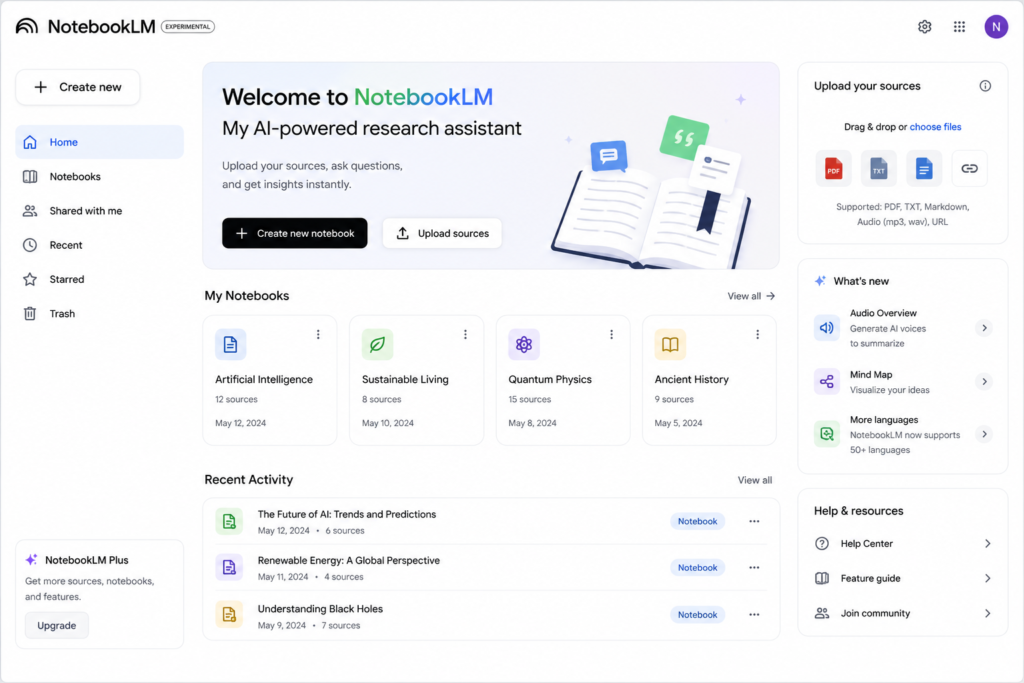
NotebookLM is an AI-powered research assistant that helps users understand information from their own documents. Users can upload PDFs, Google Docs, notes, research papers, presentations, and other files. Instead of searching the internet, NotebookLM focuses on the documents you provide and generates summaries, explanations, study notes, and answers based on those sources.
This makes it especially useful for students, researchers, educators, writers, and professionals who work with large amounts of information.
Best For
- Students
- Researchers
- Teachers
- Bloggers
- Business Professionals
Key Features
✔ PDF Analysis
✔ Document Summaries
✔ AI Question Answering
✔ Research Notes
✔ Study Assistance
✔ Multi-Document Support
Pros
✔ Excellent document understanding
✔ Saves research time
✔ Easy to use
✔ Great for studying
Cons
✘ Requires your own source documents
✘ Some advanced features may vary by account type
Final Verdict
NotebookLM is one of the best AI tools for learning, studying, and document-based research.
12. Microsoft Copilot – Best AI Assistant for Microsoft Office
⭐ Rating: 4.8/5
Overview
Microsoft Copilot is an AI assistant integrated with Microsoft Word, Excel, PowerPoint, Outlook, and other Microsoft services. It helps users write documents, analyze spreadsheets, create presentations, summarize emails, and automate routine office tasks.
For businesses and professionals already using Microsoft 365, Copilot can significantly improve productivity.
Best For
- Office Professionals
- Businesses
- Students
- Project Managers
- Data Analysts
Key Features
✔ AI Writing
✔ Excel Formula Assistance
✔ PowerPoint Creation
✔ Email Drafting
✔ Data Analysis
✔ Meeting Summaries
✔ Microsoft 365 Integration
Pros
✔ Excellent Office integration
✔ Saves time
✔ Improves productivity
✔ Professional output
Cons
✘ Best experience requires Microsoft 365
✘ Advanced AI features may require a paid subscription
Final Verdict
Microsoft Copilot is one of the best AI productivity tools for users working within the Microsoft ecosystem.
Expert Recommendation
If you only want three AI tools for everyday work, this combination offers the best balance:
- ChatGPT – Writing, coding, brainstorming, and learning
- Google Gemini – Research and Google Workspace productivity
- Canva AI – Graphics, thumbnails, presentations, and social media design
Using these three tools together can handle most content creation, study, and business tasks without needing dozens of separate applications.
Best AI Tools by Category (2026)
Choosing the right AI tool depends on your specific needs. Instead of using one AI tool for everything, it is better to select the best tool for each type of work. Below are our expert recommendations based on extensive testing and real-world use cases.
Best AI Tool for Writing
🥇 Winner: ChatGPT
Why We Recommend It:
- Excellent writing quality
- Human-like responses
- SEO article writing
- Email drafting
- Script writing
- Brainstorming ideas
- Beginner-friendly interface
Runner-up: Claude AI
Best AI Tool for Research
🥇 Winner: Perplexity AI
Why We Recommend It:
- Source-backed answers
- Fast research
- Better fact verification
- Great for students
- Excellent for bloggers
Runner-up: Google Gemini
Best AI Tool for Image Generation
🥇 Winner: Leonardo AI
Why We Recommend It:
- High-quality images
- Realistic artwork
- Marketing graphics
- YouTube thumbnails
- Daily free credits
Runner-up: Midjourney
Best AI Tool for Graphic Design
🥇 Winner: Canva AI
Why We Recommend It:
- Thousands of templates
- AI-powered design tools
- Easy drag-and-drop editor
- Great for social media
- Excellent for beginners
Runner-up: Adobe Express
Best AI Tool for Video Creation
🥇 Winner: Runway AI
Why We Recommend It:
- Professional AI editing
- Text-to-video
- Object removal
- Background removal
- Cinematic video generation
Runner-up: Pika AI
Best AI Voice Generator
🥇 Winner: ElevenLabs
Why We Recommend It:
- Natural human voices
- Voice cloning
- Multiple languages
- Professional narration
Runner-up: Murf AI
Best AI Tool for Students
🥇 Winner: Google Gemini
Best Features:
- Homework help
- Research
- Learning difficult concepts
- Exam preparation
- Study notes
Runner-up: NotebookLM
Best AI Tool for Developers
🥇 Winner: Google AI Studio
Why Developers Love It:
- API access
- Gemini models
- Prompt testing
- AI application development
- Cloud-based platform
Runner-up: GitHub Copilot
Quick Comparison Table
| Category | Best Tool | Rating |
|---|---|---|
| Writing | ChatGPT | ⭐⭐⭐⭐⭐ |
| Research | Perplexity AI | ⭐⭐⭐⭐⭐ |
| Image Generation | Leonardo AI | ⭐⭐⭐⭐⭐ |
| Graphic Design | Canva AI | ⭐⭐⭐⭐⭐ |
| Video Editing | Runway AI | ⭐⭐⭐⭐⭐ |
| AI Voice | ElevenLabs | ⭐⭐⭐⭐⭐ |
| Students | Google Gemini | ⭐⭐⭐⭐⭐ |
| Developers | Google AI Studio | ⭐⭐⭐⭐⭐ |
How to Choose the Right AI Tool
Before selecting any AI platform, ask yourself these questions:
✔ What problem do I want to solve?
✔ Do I need writing, images, videos, coding, or research?
✔ Is the free plan enough?
✔ Will I use the tool daily?
✔ Does it fit my budget?
✔ Can it integrate with my existing workflow?
Choosing the right AI tool based on your needs will save both time and money.
Common Mistakes to Avoid
❌ Using too many AI tools at the same time.
❌ Publishing AI-generated content without editing.
❌ Ignoring fact-checking.
❌ Depending only on AI for important decisions.
❌ Not learning prompt writing.
❌ Buying expensive subscriptions without testing the free version first.
Our Expert Recommendation
If you’re just getting started with AI, these five tools cover almost every everyday task:
- ChatGPT
- Google Gemini
- Canva AI
- Leonardo AI
- Runway AI
Together, these tools can help you write content, design graphics, generate images, create videos, conduct research, and improve productivity.
Frequently Asked Questions (FAQs)
1. What is the best free AI tool in 2026?
ChatGPT remains one of the best free AI tools for writing, coding, brainstorming, and everyday productivity. However, the best choice depends on your specific needs. For image generation, Leonardo AI is excellent, while Runway AI is a top choice for AI-powered video editing.
2. Which AI tool is best for students?
Google Gemini and NotebookLM are among the best AI tools for students because they help with research, learning, summarizing documents, and understanding complex topics.
3. Which AI tool is best for YouTubers?
YouTubers can benefit from using multiple AI tools together:
- ChatGPT – Script Writing
- Canva AI – Thumbnail Design
- Runway AI – Video Editing
- ElevenLabs – AI Voice Generation
- Leonardo AI – Thumbnail Images
4. Are free AI tools enough?
Yes. Most beginners can complete writing, research, design, and basic video creation using free AI plans. As your workload grows, you can consider upgrading to premium versions if you need higher limits or advanced features.
5. Can AI replace human creativity?
No. AI is a powerful assistant that speeds up work, but human creativity, critical thinking, and personal experience remain essential for creating original and valuable content.
6. Which AI tool is best for blogging?
ChatGPT, Claude AI, and Perplexity AI are among the best choices for bloggers because they help with content writing, research, SEO ideas, and article planning.
7. Which AI tool creates the best images?
Leonardo AI is one of the best free AI image generators. For users looking for artistic and highly creative outputs, Midjourney is also a popular option.
8. Which AI tool is best for coding?
Google AI Studio and GitHub Copilot are excellent choices for developers. They assist with code generation, debugging, learning programming concepts, and improving productivity.
9. Are AI-generated images copyright-free?
The answer depends on the platform and its terms of use. Always review the licensing and commercial usage policies of the AI tool before using generated images for business or commercial projects.
10. Should I use multiple AI tools?
Yes. Most professionals use different AI tools for different tasks instead of relying on a single platform. Combining writing, design, research, and video tools often delivers better results.
Final Verdict
Artificial Intelligence is transforming how people work, study, create content, and run businesses. The right AI tool can save hours of work, improve productivity, and help users produce better results with less effort.
After comparing features, ease of use, free plans, pricing, and real-world performance, our top recommendations for 2026 are:
🏆 Best Overall AI Assistant – ChatGPT
🏆 Best Research Tool – Perplexity AI
🏆 Best AI for Students – Google Gemini
🏆 Best AI Image Generator – Leonardo AI
🏆 Best AI Video Tool – Runway AI
🏆 Best AI Design Platform – Canva AI
🏆 Best AI Voice Generator – ElevenLabs
🏆 Best AI Platform for Developers – Google AI Studio
Instead of installing dozens of AI tools, start with two or three that match your workflow. As your requirements grow, you can expand your toolkit with additional specialized platforms.
The AI industry is evolving rapidly, so continue exploring new features and updates to stay ahead.
Conclusion
Whether you are a student, blogger, YouTuber, freelancer, software developer, or business owner, AI tools can dramatically improve the way you work.
By choosing the right combination of AI platforms, you can save time, increase productivity, create better content, and focus more on creativity instead of repetitive tasks.
We hope this guide helped you discover the best free AI tools in 2026. If you found this article useful, consider bookmarking it, as we will continue updating it with the latest AI tools and features throughout the year.